Examples
The best way to learn @bomb.sh/tty after the getting started guide is to run the demos in the tty repository. Each one is a small app that shows how the pieces fit together: render loop, input parsing, terminal modes, transitions.
Get set up
Section titled “Get set up”git clone https://github.com/bombshell-dev/tty.gitcd ttymake # build the WASM bundlenode examples/keyboard/index.tsWhich demo should I run?
Section titled “Which demo should I run?”| Demo | Start here if you want to… | Key APIs |
|---|---|---|
| Keyboard | Wire up input, pointer hover, and terminal modes | createInput, settings, render pointer option |
| Transitions | Animate layout and color between frames | open transitions, animating |
| Inline regions | Draw animated output in scrollback, not full-screen | render line mode, DSR |
| 2048 | See everything combined in a real app | ops, term, input, settings |
| Diff | Highlight per-glyph in a layout | text bg |
Suggested order: keyboard → transitions → inline regions → 2048. Diff is a focused layout exercise you can skip until you need it.
Keyboard
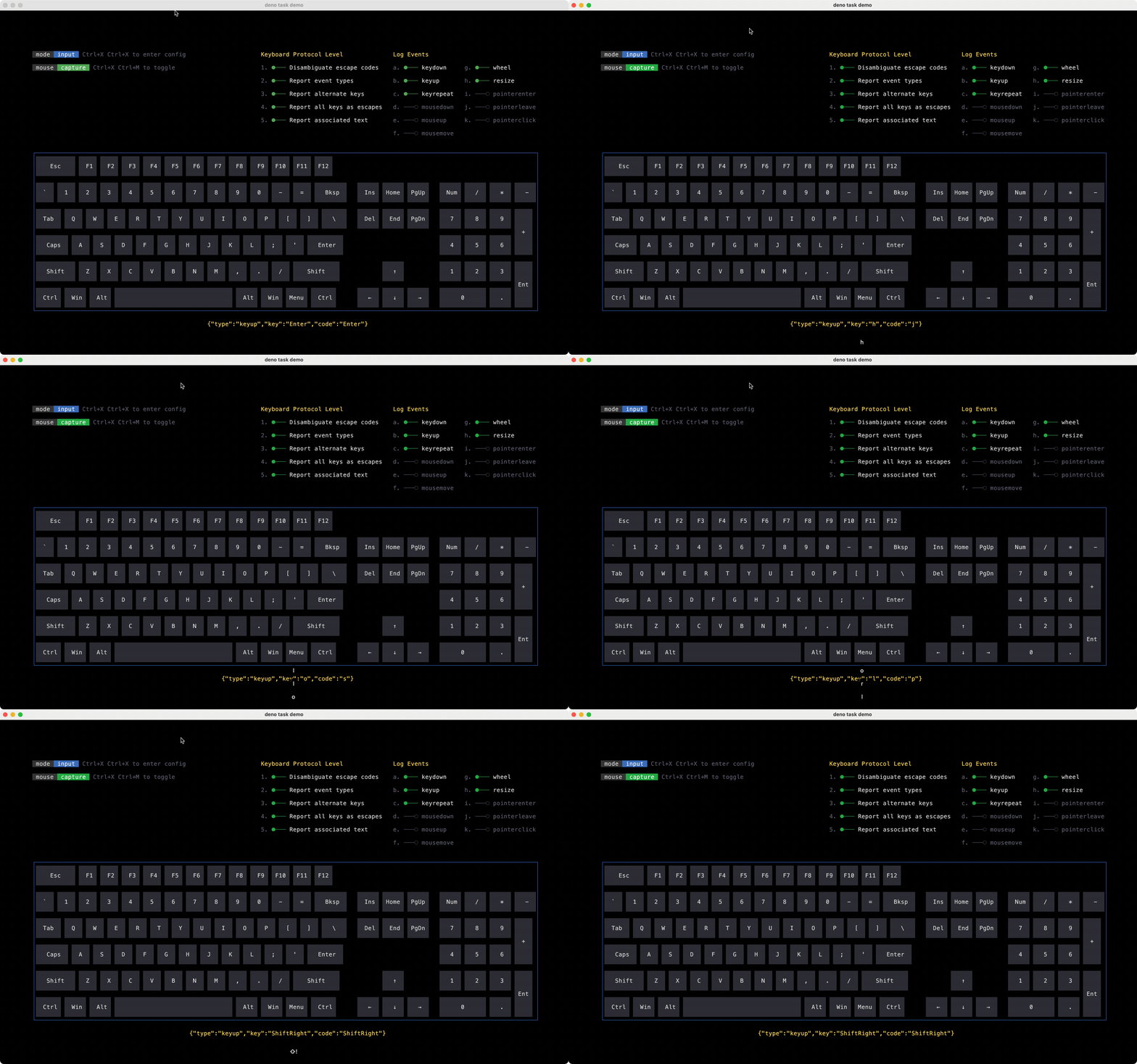
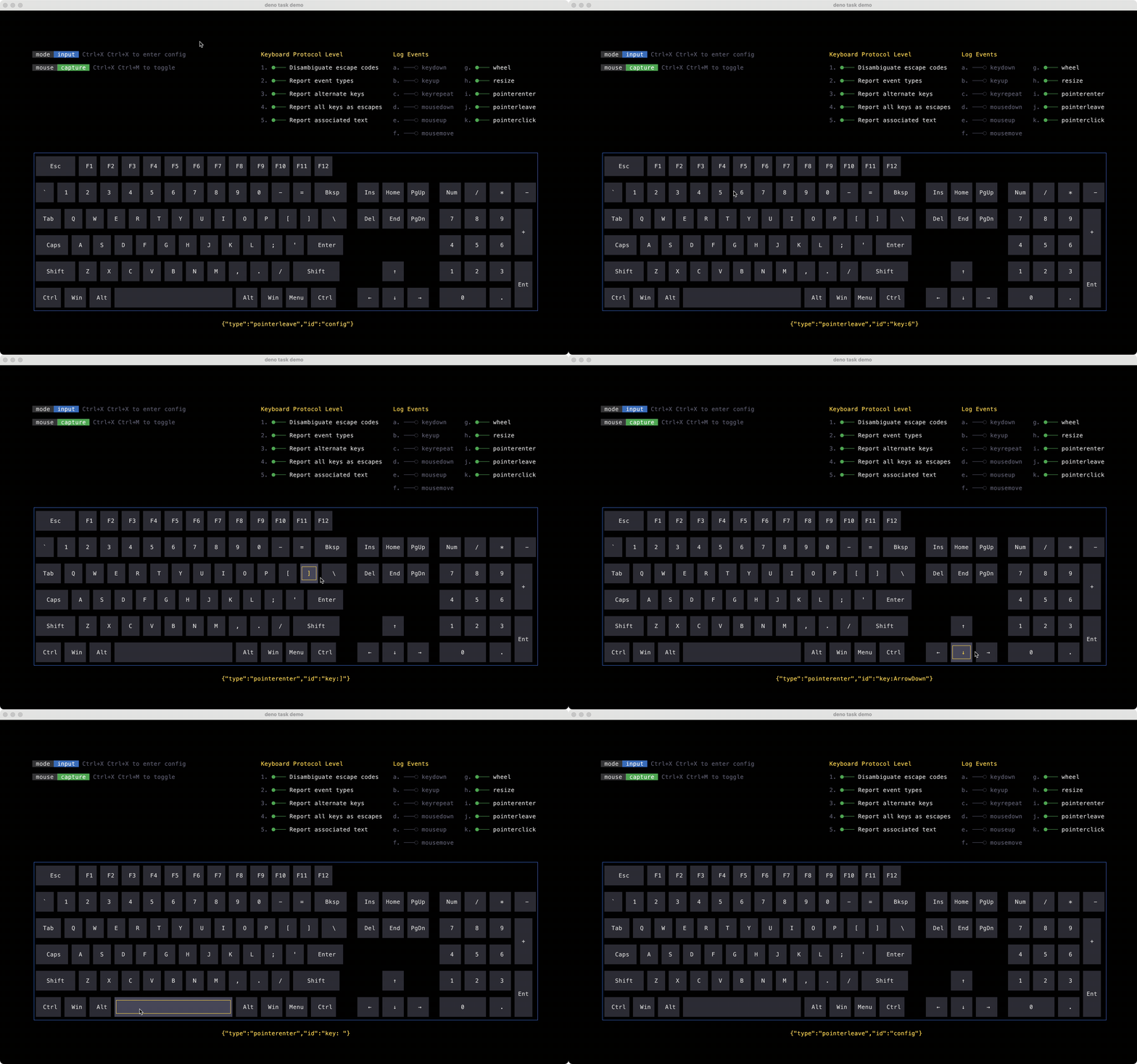
Section titled “Keyboard”node examples/keyboard/index.tsThis is the best first demo. It shows the full loop most apps follow:
- Apply terminal settings (alternate buffer, hidden cursor, mouse tracking)
- Create a term and feed pointer state each frame
- Parse stdin through
createInputand dispatch events - Revert settings on exit
Type on the keyboard to see decoded key events. Move the mouse to see hover styles. Clay handles hit testing, so you don’t need manual coordinate math.
Transitions
Section titled “Transitions”examples/transitions/sidebar.ts · examples/transitions/notecards.ts
node examples/transitions/sidebar.tsnode examples/transitions/notecards.tsChange layout or style properties between frames and attach a transition to elements. Gate your render loop on animating so you only redraw while motion is in progress.
The sidebar demo animates width with keyboard shortcuts. Notecards interpolates layout and background color.
Inline regions
Section titled “Inline regions”examples/inline-regions/index.ts
node examples/inline-regions/index.tsRenders spinners, progress bars, and small animations into normal scrollback instead of taking over the screen. Uses DSR to query cursor position and render in line mode to update a fixed region.
Reach for this pattern when you want live output inside a regular CLI workflow (build logs, install progress, status lines) without switching to the alternate buffer.
node examples/2048/index.tsA complete game combining transitions, keyboard focus, pointer clicks, live resize, and an fps counter. Good reference once you understand the basics.
Controls: arrows or wasd to move · Tab/Shift+Tab for focus · Enter/Space to activate · n new game · u undo · q or Ctrl+C to quit
node examples/diff/index.tsA code-review diff view with per-glyph bg highlighting on text nodes. Useful if you’re building structured, read-only output rather than interactive UI.
Next steps
Section titled “Next steps”- Getting Started (install, architecture, quick starts)
- Term API (render loop and pointer events)
- Input API (stdin event parsing)